
What to Expect During Your First Remote Proctored Exam
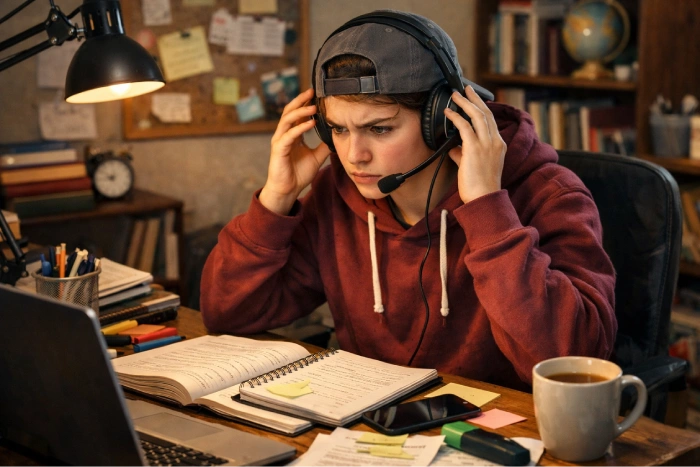
The first time taking a proctored exam remotely is daunting. The most common cause of anxiety is typically not knowing. When taking a proctored exam, you may not know what to expect during remote proctored exam, so this guide will clear up the mystery and help you navigate the entire process. At its conclusion, you will know all the steps involved, from preparing for the exam to delivering the final product. We’ll also discuss first remote proctored exam tips, how does remote proctored exam work, and how to prepare for the exam with confidence! If you are new to online assessments, begin by understanding what a proctored exam online is.
What Is Remote Proctoring and Why Do Institutions Use It?
Remote proctoring is an exam technology-assisted exam supervision method that allows students to sit exams from a different location than class and with the assistance of a technology system. With webcam, microphone and screen recording software, institutions can observe exam sessions remotely, without students needing to go to a testing centre.
There are several popular platforms available, including ProctorU, Examity, Honorlock, Proctorio, and Respondus Monitor, that work more or less the same, but may have different features. By knowing remote proctoring software is and what to expect, students can feel more at ease on test day. Basically,what happens during an online proctored exam is that technology is used to verify the students’ identities and to keep track of exam activities to guarantee academic integrity. To learn more, check out how online proctored exams detect cheating.
Before the Exam — Technical Setup and Room Preparation
Preparation should begin well before exam day. A little planning can prevent unnecessary stress and technical issues.
Use this checklist before your assessment:
- Confirm your browser is supported, usually Chrome or Firefox.
- Ensure your internet connection is stable and ideally exceeds 5 Mbps.
- Test your webcam and position it so your face is clearly visible.
- Verify that your microphone functions correctly.
- Complete the system test provided by the proctoring platform.
- Clear your desk of books, notes, papers, and unauthorised materials.
- Disconnect or cover additional monitors if required.
- Ensure your room has sufficient lighting.
- Arrange a quiet environment where no one will enter during the exam.
- Place your phone out of reach or preferably in another room.
This first-time online proctored exam guide 2026 would not be complete without one critical recommendation: perform your system check at least 24 hours before your exam. Waiting until the morning of the assessment can create avoidable problems. Understanding theremote exam check in process also becomes much easier when your setup has already been verified. You can find additional preparation advice on how to prepare your room for an online proctored exam.
The Check-In Process — Step by Step
Most students are uncertain in the check-in process. Luckily, the process is typically simple.
Log In Early
Enter the building 15-30 minutes before the start time. The early bird gets the worm; most institutions require early arrival.
Identity Verification
Show your webcam a photo ID issued by the government.
Facial Recognition Scan
It captures your image and matches it with your identification.
Room Scan
They might ask you to do a 360-degree turn of your room with your webcam.
Inspect the desk and keyboard for damage. Check the desk and keyboard for damage.
The proctor may ask to examine your desk, keyboard and workspace.
Browser Lockdown
During the exam, other tabs, applications or websites are not available on many platforms.
Exam Launch
Upon verification, the proctor assures that all are ready, and the timer starts the exam.
The remote proctored exam experience may be slightly different, depending on whether a live proctor is used. Live proctoring involves real-time supervision, and AI-only systems mainly record and analyze activity, which is then reviewed later. The online proctored exam rules are similar, and they apply to both versions of the exam.
What Gets Monitored During a Remote Proctored Exam?
Many students are surprised by how comprehensive monitoring can be, but understanding the process helps reduce anxiety. Knowing what to expect during remote proctored examallows you to focus on performance rather than uncertainty.
Typical monitoring includes:
- Webcam recording of your face and upper body.
- Microphone recording to capture environmental sounds.
- Screen recording of all activity on your computer.
- Tracking of browser actions and application usage.
- Eye-movement analysis on some platforms.
- AI-based behaviour monitoring that identifies unusual patterns.
Some systems use live human proctors who watch exams in real time, while others rely mainly on artificial intelligence and post-exam reviews. Whether you are preparing for a general assessment or researching a ProctorU exam experience, the monitoring principles remain similar across platforms.
It is important to remember that minor actions such as adjusting your seating position, scratching your head, or quietly reading a question aloud may generate automated flags. These are typically reviewed within the broader context of your behaviour and are rarely problematic on their own. Students should also review the online exam rules they must know before test day, before sitting for any assessment.
What Is Allowed and What Is Prohibited During a Remote Proctored Exam?
Rules vary between institutions, but the following guidelines are common.
Allowed
- Blank scratch paper if approved and shown during check-in.
- Approved calculators are permitted by the exam.
- Water in a clear container.
- Earplugs if specifically authorised.
Understanding what is allowed during proctored exam helps avoid confusion and last-minute concerns.
Prohibited
- Notes and study materials.
- Textbooks and reference guides.
- Smartphones and smartwatches.
- Additional monitors.
- Headphones, unless explicitly approved.
- Other people in the room.
- Virtual machines and remote desktop software.
Students often search for Examity remote proctoring explained because different providers enforce slightly different requirements. Always read your institution’s official exam policy before test day. If you are uncertain about an item, ask beforehand rather than during the exam session.
What Happens If Something Goes Wrong During the Exam?
Technical problems occasionally occur, and most platforms have procedures in place to address them.
If your internet disconnects, many systems allow you to reconnect within a specified time window. If your webcam stops working, contact the proctor immediately using the available support chat. In the event of a computer crash, document the issue if possible and notify your institution as soon as the exam ends.
Students often ask how does remote proctored exam workwhen unexpected issues arise. The answer is simple: communication is critical. Most proctors can assist with technical concerns and document incidents appropriately. Avoid panicking or abandoning the exam. Before test day, save your institution’s support contact information and review how to stay calm during a proctored exam.
Tips for Staying Calm and Performing Well During a Remote Proctored Exam
Here are a few exam-day habits that can make your test-taking experience better:
Complete check-in early.
Do 3 slow, deep breaths before beginning.
Pay attention to all questions.
Mark challenges questions and comes back to them.
Avoid repeatedly looking away from the screen.
If you are an oral reader, your voice should be low.
Pay attention to the assessment and not the monitoring process.
Here are the first remote proctored exam tipsthat will help you stay focused and confident during the exam. The more you become familiar with the process, the more routine it will feel. If you are still new to online assessments, then check out how do online exams work.
Conclusion
The first time you take a remotely proctored exam, it will likely be more stressful than subsequent exams. Thankfully, the bulk of anxiety is due to the unknown, not the exam process itself. After getting the technicalities of the set-up, sign-in, the way to monitor and the rules for an exam, it all becomes much more predictable. The best ways to minimize stress and maximize performance are to prepare and to be familiar. For additional resources, guidance, and exam help and support, visit the homepage.