
How Do Online Proctored Exams Detect Cheating? The Technology Behind Remote Surveillance (2026)
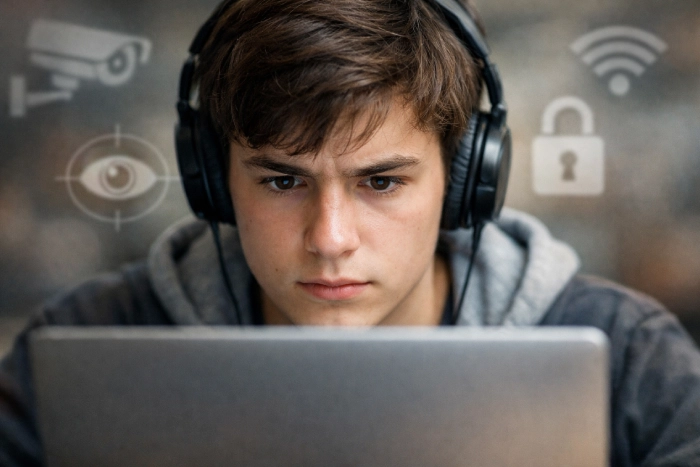
How do online proctored exams detect cheating? The modern proctoring systems are equipped with a complex AI-based system that tracks student activity during the entire exam session, including facial recognition, eye tracking, browser lockdown, and human review.
Proctoring technology has come a long way since 2020. What was once a manual process that took 3 years is now automated by Artificial Intelligence in seconds. More than 50 million online proctored exams are taken worldwide annually, and universities are spending large sums of money on detection technology to ensure academic integrity.
AI proctoring systems in 2026 are much more advanced than in previous years, with the ability to analyze behavior in real-time and identify patterns that would be hard for a human to detect. Before exploring the detection methods, it’s essential to understand what is a proctored exam online entails.
How Do Online Proctored Exams Detect Cheating? (The Complete Overview)
How do online proctored exams detect cheating at a technical level? They have a multi-layered surveillance system that includes automated AI monitoring and human review to identify suspicious activity in real time. Seven main ways online proctored exams can identify cheating: facial recognition, eye tracking, browser lockdown, keystroke analysis, audio monitoring, screen recording, and AI behavioural analysis.
These technologies are used to ensure academic integrity for leading platforms such as ProctorU and RespondusLockDown Browser. See the U.S. Department of Education’s academic integrity guidelines for online exams for official guidance.
| Detection Method | What It Monitors | Flagging Trigger |
| Facial Recognition | Identity and presence | Face not visible or multiple faces |
| Eye Tracking | Gaze direction | Looking away from screen repeatedly |
| Browser Lockdown | Tab and window activity | Attempting to open new tabs |
| Keystroke Analysis | Typing patterns | Unusual typing speed or rhythm |
| Audio Monitoring | Background sounds | Voices or unauthorized sounds |
| Screen Recording | All on-screen activity | Unauthorized applications |
| AI Behavioral Analysis | Overall behavior patterns | Deviation from normal patterns |
Online Proctoring Software: The Most Widely Used Platforms in 2026
In 2026, the most popular online proctoring software platforms are ProctorU, Examity, Respondus Monitor, Honorlock, and Proctorio, each with varying detection capabilities and flagging sensitivities. Knowing what online proctoring software your institution will use on exam day will help you set up your space properly and prevent flagging. These are platforms that combine browser locking and facial recognition to guarantee secure assessments.
| Platform | Monitoring Type | Strictness Level | Human Review |
| ProctorU | Live + AI | Very High | Yes (Real-time) |
| Examity | AI + Human | High | Yes (Post-exam) |
| Respondus Monitor | AI Only | Medium | Yes (Post-exam) |
| Honorlock | AI + Live Intervention | Very High | Yes (Real-time) |
| Proctorio | Fully Automated AI | High | No |
AI Proctoring Technology: How Artificial Intelligence Monitors Your Every Move
In 2026, AI proctoring technology relies on machine learning algorithms that have been trained with millions of exam sessions to detect patterns of behavior that are inconsistent with those of a real test-taker.
Modern platforms employ AI proctoring that can identify cheating attempts that a human proctor would not be able to detect, such as micro-expressions, gaze deviation patterns, and unusual typing rhythms. It conducts keystroke analysis, eye tracking technology, and behavioral analytics.
How AI Works
- Trained on millions of legitimate exam sessions to establish a behavioral baseline.
- Flags deviations from the baseline in real time.
- Assigns a risk score to each flagged behavior.
- High-risk sessions are reviewed by human proctors.
What AI Specifically Monitors
- Eye movement patterns (Direction, frequency, duration).
- Head position and movement.
- Facial expressions and micro-expressions.
- Typing speed and rhythm patterns.
- Mouse movement patterns.
- Background audio frequencies.
Proctored Exam Flag Triggers: What Gets You Flagged Immediately
All students need to be familiar with the proctored exam flag triggers so that they can avoid accidentally setting off an alarm and triggering an academic integrity investigation. The most frequently occurring proctored exam flag triggers are: looking away from the screen, another person visible on camera, background noise, and trying to use unauthorized applications. This suspicious behavior flag can easily turn into an academic integrity investigation.
Common Flag Triggers in Detail
- Looking away from the screen for more than 3-5 seconds.
- Another person appears in the camera frame.
- Background voices or unusual sounds.
- Attempting to open a new browser tab.
- Phone notifications or screen flashes.
- Leaving the camera frame entirely.
- Unusual lighting changes in the room.
- Covering the webcam accidentally.
| Trigger | Severity | Likely Outcome |
| Looking away briefly | Low | Warning flag |
| Another person on camera | Very High | Immediate proctor intervention |
| Opening new browser tab | Very High | Exam termination |
| Background voices | Medium | Flag for review |
| Phone visible on desk | High | Proctor intervention |
| Leaving camera frame | High | Proctor intervention |
| Unusual lighting change | Low | Automated flag |
Understanding these triggers is just half the battle. To minimize accidental flags, follow a complete room‑preparation checklist. To learn how to prepare your room for an online proctored exam, refer to how to prepare your room for an online proctored exam.
Remote Proctoring Surveillance Methods: Beyond the Webcam
The webcam is just the tip of the iceberg when it comes to remote proctoring surveillance methods, as most students don’t know about the sophisticated network monitoring, device fingerprinting, and secondary device detection that is used. The tools employed in remote proctoring are intended to provide a full monitoring environment where cheating is very hard to hide. These are enforced with the Respondus LockDown Browser and screen recording.
Advanced Surveillance Methods
- Network Monitoring: Detects unusual network traffic during the exam.
- Device Fingerprinting: Identifies the specific device being used and flags if it changes.
- Secondary Device Detection: Some platforms detect if a phone or tablet is active nearby.
- IP Address Tracking: Flags if the exam is taken from an unusual location.
- Copy-Paste Monitoring: Detects clipboard activity during the exam.
- Screen Sharing Detection: Flags if the screen is being shared with another application.
| Surveillance Method | What It Detects | Student Awareness Level |
| Network Monitoring | Unusual data traffic | Very Low |
| Device Fingerprinting | Device changes | Very Low |
| Secondary Device Detection | Active nearby devices | Low |
| IP Address Tracking | Location changes | Medium |
| Copy-Paste Monitoring | Clipboard activity | Low |
| Screen Sharing Detection | External screen sharing | Low |
Online Exam Cheating Detection: How Flagged Sessions Are Reviewed
It is important to understand the online exam cheating detection review process because not all flagged sessions are considered academic integrity violations, as human reviewers consider context before making a final determination. The online exam cheating detection process consists of three steps: automated AI flagging, human proctor review, and institutional academic integrity investigation. A suspicious behavior flag, during a platform like Examity, triggers a methodical review.
Review Process
- Stage 1: AI flags suspicious behavior automatically during the exam.
- Stage 2: Human proctor reviews the flagged footage after the exam.
- Stage 3: Proctor submits a report to the institution with a severity rating.
- Stage 4: Institution decides whether to launch a formal investigation.
- Stage 5: Student is notified and allowed to respond.
| Stage | Who Is Responsible | Timeframe |
| AI Flagging | Proctoring Software | Real-time during exam |
| Human Review | Proctor | Within 24-48 hours |
| Institutional Report | Proctoring Company | Within 72 hours |
| Investigation Decision | University | Within 1-2 weeks |
| Student Notification | University | Varies by institution |
Knowing the review process is just one part of the equation. All students must know the basic expectations before test day to avoid being flagged. To see what is and isn’t permitted, check out these online exam rules students must know.
Conclusion: How to Avoid Getting Flagged on a Proctored Exam
Knowing how to avoid getting flagged on a proctored exam starts with understanding that most flags are triggered by environmental factors and innocent behaviors, rather than the result of environmental factors and innocent actions. Students who pass proctored exams set up their space carefully, test their technology beforehand, and know what actions will cause an automatic alert.
Once you know how do online proctored exams detect cheating, the next crucial step is to set up your environment and mindset to perform authentically without setting any automated flags. Test your setup and implement the browser lockdown, and make sure your facial recognition is set up correctly.
Prevention Checklist
- Choose a private room with a locked door.
- Clear your desk of all unauthorized materials.
- Test your webcam, microphone, and internet connection beforehand.
- Ensure good, consistent lighting on your face throughout the exam.
- Keep your eyes on the screen at all times.
- Silence all phone notifications and remove devices from the room.
- Do not talk to yourself or mumble while reading questions.
- Take permitted breaks only during designated break periods.
When taking online proctored exams seems like too much work, there is always someone there to assist you in passing. Also, find out how to stay calm during a proctored exam and learn the fundamentals of how do online exams work to help alleviate your anxiety.